
What's new in Element: a month of concrete improvements for recruiters

2026-07-13

A month ago I wrote about how Element’s development had sped up faster than ever thanks to AI. That post was mostly about pace, so today I want to show specifics: exactly what shipped between June 10 and July 12, 2026. This is a short rundown of features that are already live in production and that you can use today.

Filters and views that match how you work

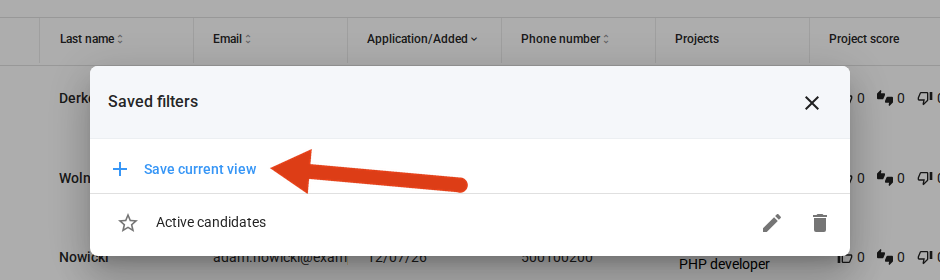
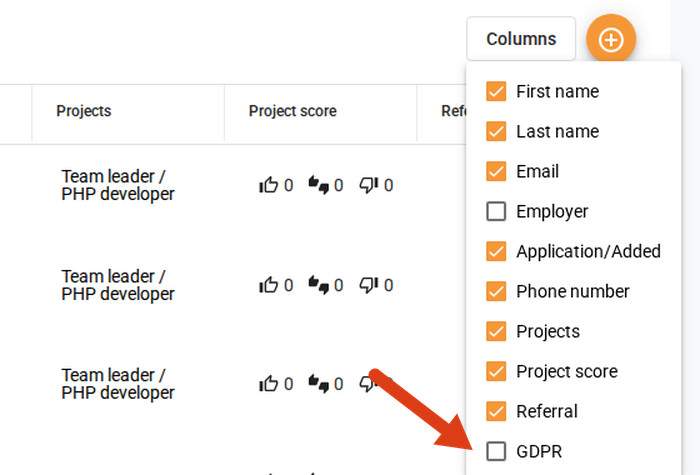
Two changes that cut the most time off everyday work on the candidate list. The first is saved filters: you save a set of criteria under your own name and get back to it with one click, instead of rebuilding your filters every time. The second is column visibility, meaning you can hide columns you don’t need on the candidate list, the project list, and the Candidates tab inside a project. This feature makes even more sense together with the field configurator, which lets you create an unlimited number of custom columns, so now you can keep only the ones you actually use visible.

Saving your own filter sets

Choosing which columns to show

GDPR and consent, fully under control

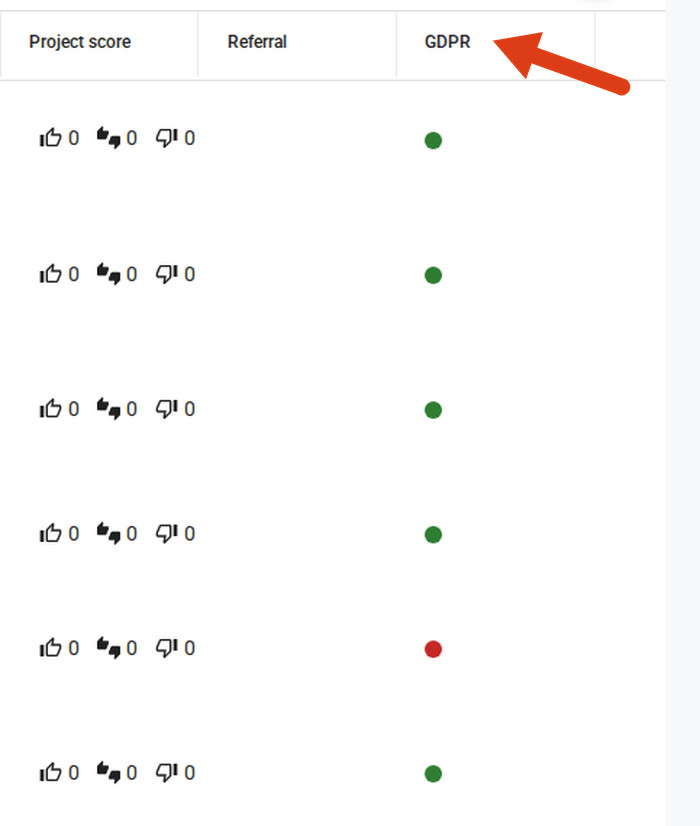
We built this whole area together, because GDPR compliance is a daily obligation for many teams, not a one-off project. The candidate list now has a consent status column with filtering by consent, so you can see immediately which candidates you can safely keep working with. Rejected candidates’ personal data now anonymizes automatically after a period you set, in line with GDPR, with no manual tracking of deadlines. We also rebuilt the GDPR tab on the candidate profile, where you can see a clear status for each consent, granted, not granted, or withdrawn, along with the full consent text and dates.

Consent status column on the candidate list

Talking to candidates got more flexible

Three changes affect how you communicate with candidates. Message templates now support SMS variants, so alongside the email version you can prepare a separate, shorter text for SMS within the same template. We also added interview invitation templates, which speed up scheduling. Finally, stage automation actions now have a “don’t notify candidate” option, so a message can go only to the recruiting team instead of the candidate.

API and integrations open up further

Application forms are now available in the public API, meaning form structure, candidate answers, CV, subforms, and additional attachments are now accessible to career sites and external systems. This was a real technical challenge, because in Element you can create any number of custom application questions and an unlimited number of form versions within a single project, and we still managed to standardize it sensibly. We also added posting status to the API, meaning whether a job posting is active or expired. Postings in the LinkedIn feed are now easier to read, with clear sections instead of one run-together block of text. On top of that, we shipped a handful of smaller integration improvements: we polished NoFluffJobs publishing, including seniority level, contact person, required languages, and the category search, and a job posting turned off on the OLX side now updates its status automatically.

Working with files and documents got easier

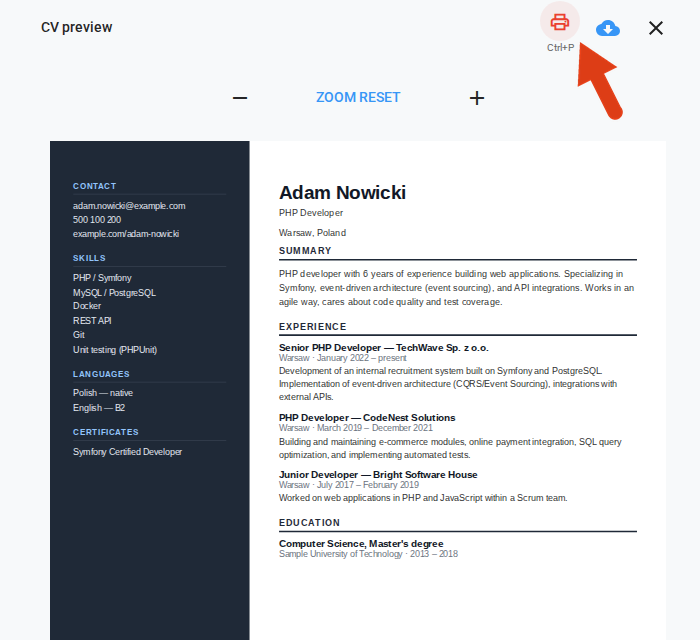
Element now supports Excel files in notes, candidate files, project files, and file-upload questions in application forms. CV printing from the preview got more convenient too: Ctrl+P now prints just the CV, not the whole page around it. We also fixed printing for long application form answers, which now show in full instead of being cut off.

One-click CV printing

More control over security

An external user, for example a recruiting partner or a manager outside HR, now sees only candidates from the stages that have been shared with them in search results, so data access stays tightly scoped. We also strengthened access security for integrations, adding a lockout after repeated failed login attempts and tighter rate limits.

A few smaller improvements

The candidate timeline is now more precise, clearly distinguishing between “added manually” and “applied directly.” Some application views also load faster thanks to changes under the hood.

Element, built by recruiters, for recruiters

Almost 90 percent of everything I described above came directly from ideas submitted by Element’s users. That is exactly how we want to build this product: together with recruiters and for recruiters, so Element keeps becoming a fuller hub for everyday recruiting work, not just another tool alongside the rest. If you have an idea for a feature you’re missing, let us know, because there is a good chance it will show up in one of the next roundups like this one.

DISCOVER ELEMENT!

Fast, agile and user-friendly ATS created by recruiters for recruiters
Picture of Maciej Michalewski

Maciej Michalewski

CEO @ Element. Recruitment Automation Software

Facebook
Twitter
LinkedIn

Recent posts: