


LinkedIn new invitation limit: what changed and how to work around it

2021-05-06

LinkedIn is capping connection invitations at 100 per week. Some accounts are already hit by this, though I haven’t found any official announcement explaining whether it’s a permanent change or just a test rolling out gradually.

What’s stranger is that some accounts get blocked after just 70 invitations, not 100. Nobody seems to know the exact rules. People who rely on invitations for outreach are understandably frustrated.

Can you still send invitations after hitting the limit?

Yes. But you need the email address of the person you want to connect with.

If you have their email, here’s what you do:

  1. Log into LinkedIn and go to https://www.linkedin.com/mynetwork/import-contacts/iwe/
  2. Enter the email addresses of everyone you want to invite, separated by commas
  3. Click continue. Done.

You can check all sent invitations at https://www.linkedin.com/mynetwork/invitation-manager/sent/

The obvious problem: you usually don’t have people’s email addresses. So you need an email-finder tool. A few popular ones: Snov.io, Lusha, Hunter.io

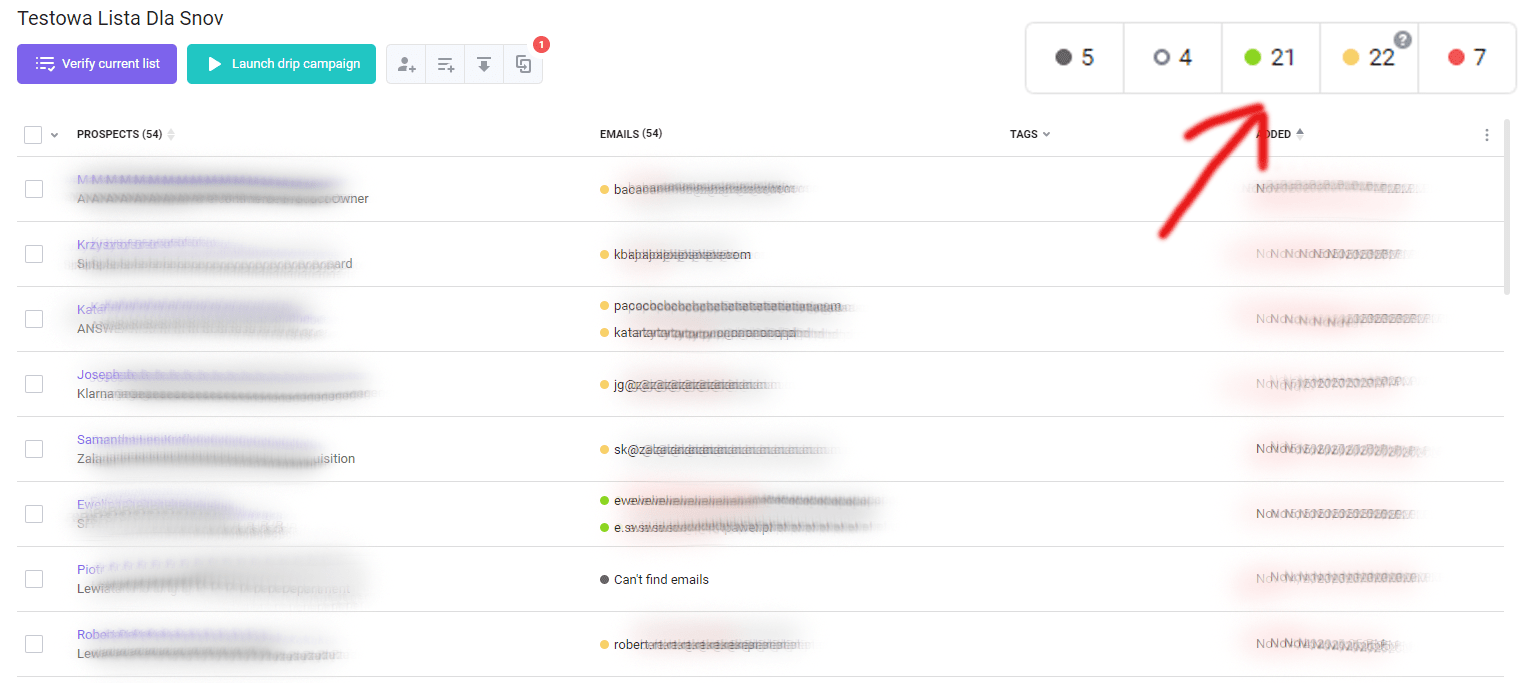
I use the free version of Snov.io. You plug in someone’s name and their employer’s domain, and it tries to figure out the email address. Simple enough.

It doesn’t always work, but the results surprised me. Out of 59 addresses I looked up, 21 came back confirmed and another 22 were “unverified” — meaning Snov.io found a probable address but couldn’t guarantee it was correct. Not bad for a free tool.

What about GDPR?

This is the part where things get murky. Tools like Snov.io claim they handle data in a regulation-compliant way. I couldn’t find a clear explanation on Snov.io’s site, but Lusha has a dedicated page: https://www.lusha.com/legal/gdpr/ — their argument boils down to this:

The biggest myth about the GDPR is that consent is the ONLY way to lawfully process personal information concerning EU data subjects. While consent is one basis for lawful processing, it is not the only one.

Lusha’s lawful basis for processing is its legitimate interest in providing its services to its users, for more information please contact our Privacy Team.

Whether “legitimate interest” actually holds up under scrutiny is a whole separate conversation. I’ll write about the GDPR side of this another time.

Read more about ATS and Element here.

DISCOVER ELEMENT!

Fast, agile and user-friendly ATS created by recruiters for recruiters
Picture of Maciej Michalewski

Maciej Michalewski

CEO @ Element. Recruitment Automation Software

Facebook
Twitter
LinkedIn

Recent posts: