

Recruiting from your phone: Element is now mobile, built by AI
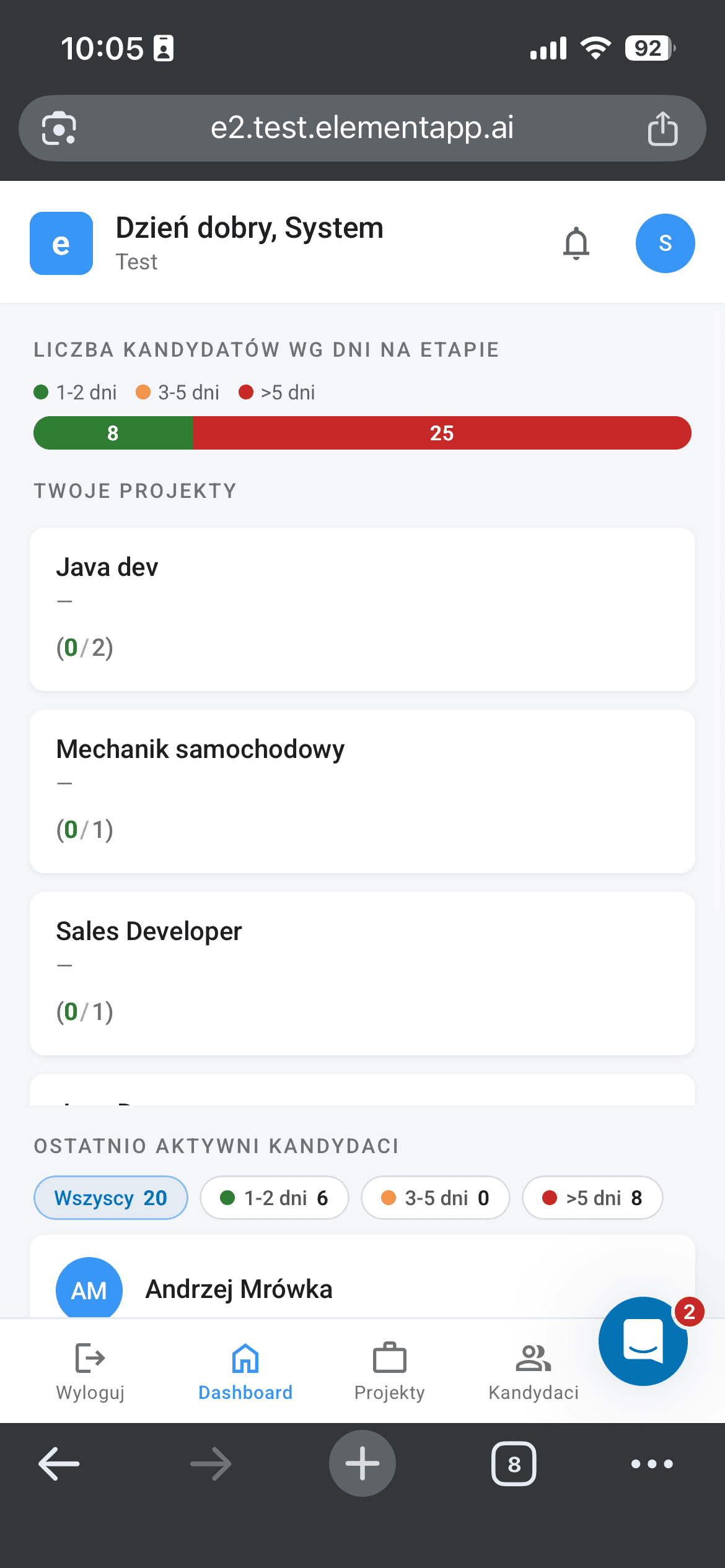
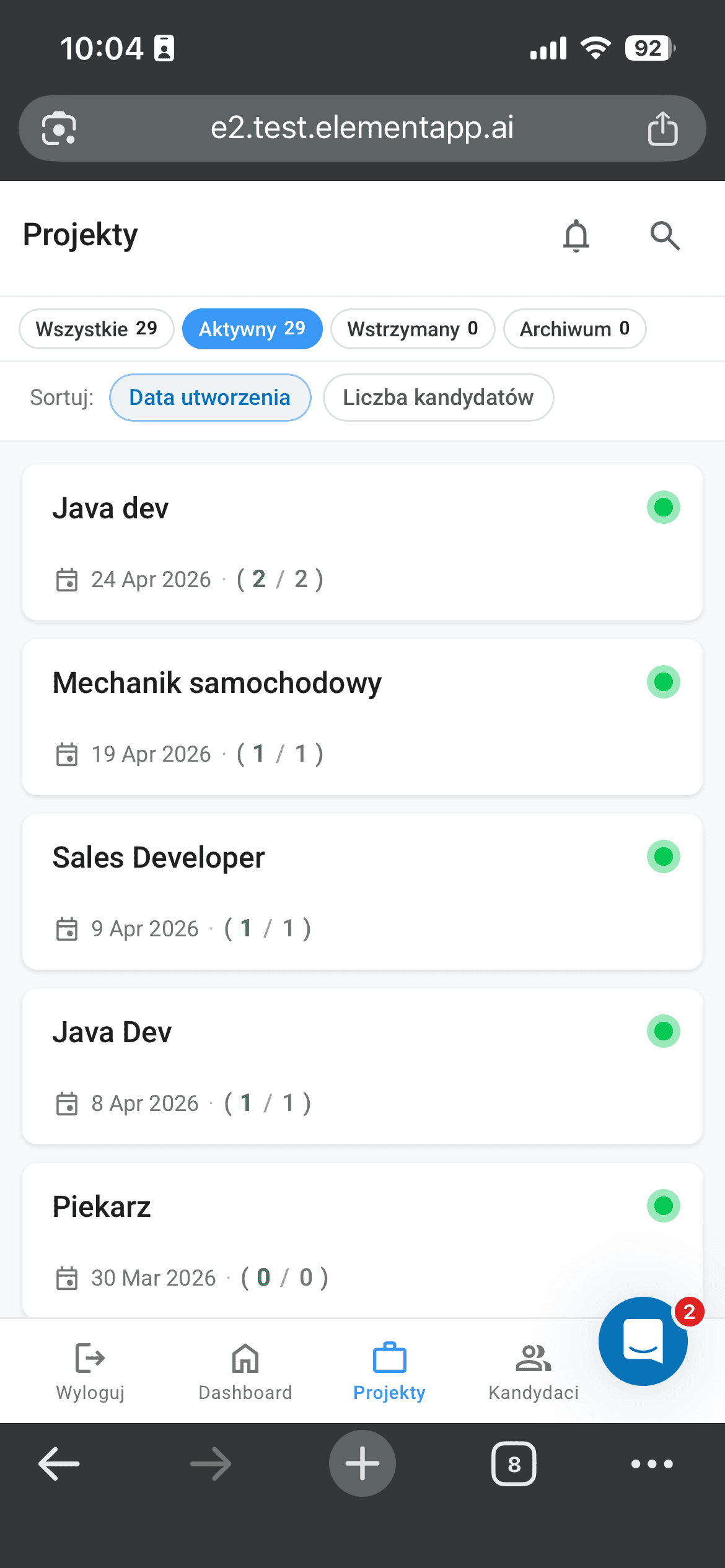
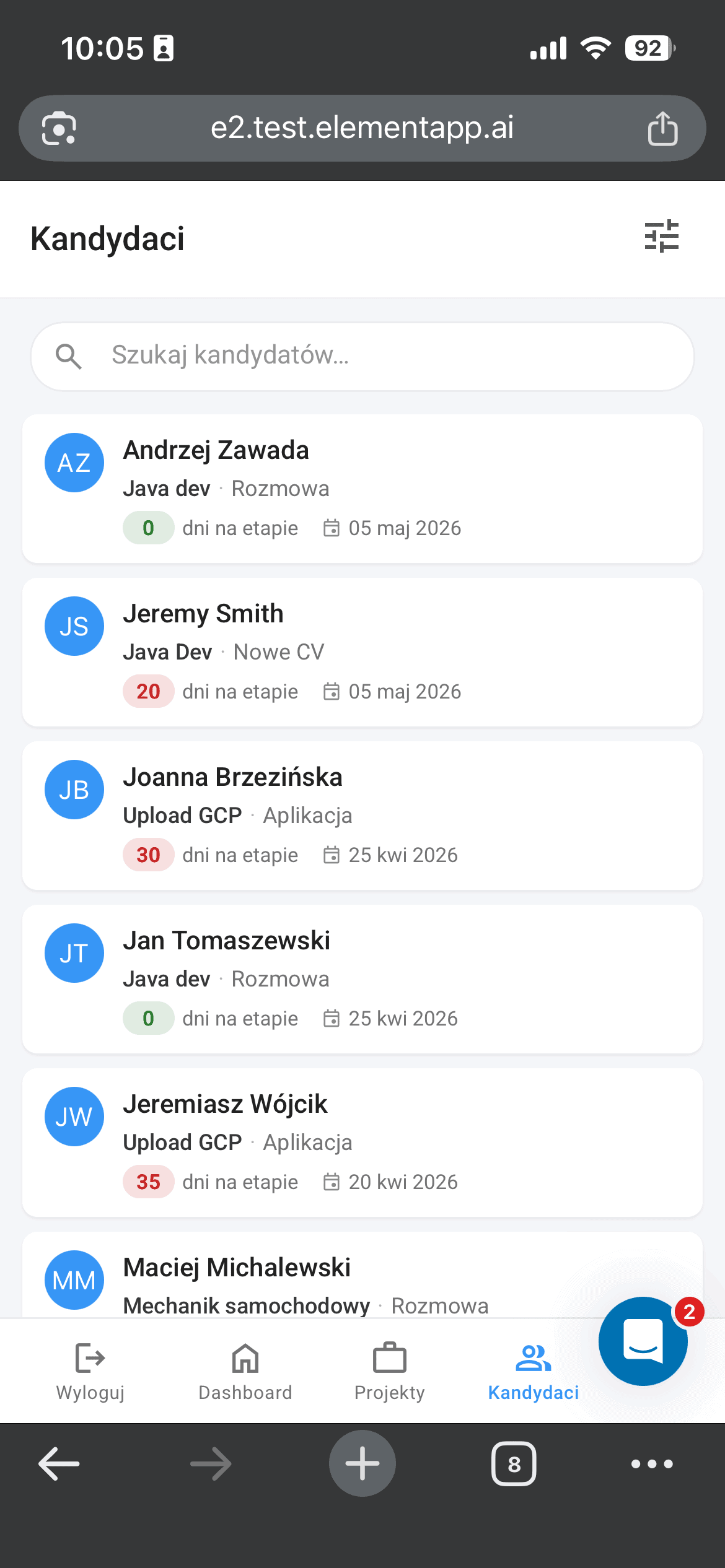
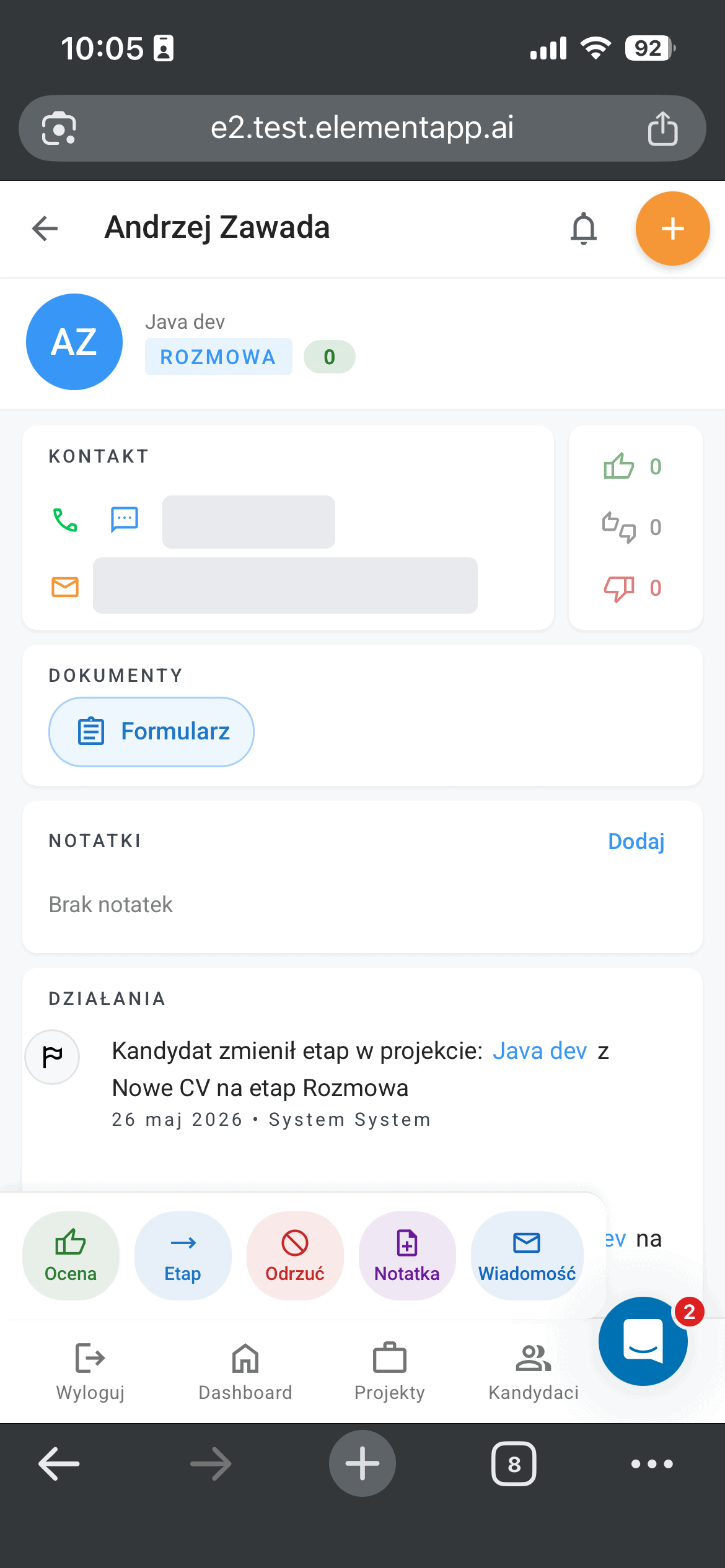
Recruiters and hiring managers can now run the recruitment process from their phone. Element’s new mobile views are live in production: a dashboard showing how many candidates sit at each stage, a project list, a candidate search, and a candidate card from which you can move someone to the next stage, reject them, add a note or send a message with a single thumb. Behind that convenient screen sit roughly 15,000 lines of code that AI generated in five weeks, and I’m not a programmer.
This is the next chapter after Element’s LinkedIn integration, which I shipped in early May. The whole series started back in September 2025 with a claim I keep repeating to clients in my workshops: someone without an engineering background can build serious things together with a language model, as long as they keep the discipline. This time the test was the mobile version of our ATS.
What actually changes for recruiters and hiring managers
Recruitment rarely happens at a desk. It happens in a meeting room, at a job fair, on the way to a client, or in the fifteen minutes between meetings. In those moments the laptop stays in the bag and the decision waits. The mobile views close that gap, because the entire current state of the process now fits on a phone screen.
The dashboard shows how many candidates have been stuck at a stage for more than five days, so you can see at a glance where the process is jamming. The project list sorts your recruitments into active, on hold and archived, with the candidate count for each. The candidate search shows the role, the stage and the number of days at that stage, while an individual candidate card collects contact details, documents, notes and the activity history in one place.
The action bar at the bottom of the candidate card matters most. A hiring manager who got a link to the profile can rate the candidate, change the stage, reject, leave a note or send a message without logging into the desktop panel. That cuts response time in practice, and in recruitment response time often decides whether a good candidate takes your offer before the competition gets to them.
15,000 lines of code in five weeks and 16 pull requests
The project closed in five weeks of my work with Claude Code, 15,000 lines of code and 16 pull requests, the packages of changes submitted to a shared repository. The code is in production and so far it hasn’t caused any major problems.
One architectural decision lowered the risk more than anything else: the changes are purely frontend. The backend, the logic that stores the data and enforces the process rules, didn’t have to be touched at all. The mobile views use the same data and the same rules as the desktop version, so there was no way to break the core of the system along the way. If something went wrong, the failure stayed confined to the display layer.
What went wrong
Two mistakes came straight from the fact that I’m not a programmer. Both got fixed the same day they appeared, and both taught me something.
First problem: a single 6,000-line merge and a rollback the same day
I pushed around 6,000 lines to production in one merge. An experienced engineer would never do that, because a change that big at once is practically impossible to review, and when something breaks it is hard to point to what exactly failed. I did the rollback, the reverting of the change, the same day. I had to undo the whole thing, break it into smaller pieces and ship the same feature again, this time in stages. The lesson is simple: small pull requests are not bureaucracy, they are a safety fuse.
Second problem: AI wrote its own service worker instead of using a ready-made one
Mobile Element works as a web app you can add to your phone’s home screen and open like a native app. A service worker handles that, the component that manages the cache and how the app behaves. I did not watch the brief closely enough and the model wrote such a service worker from scratch, instead of using Angular’s official library, which does exactly the same thing and is proven across thousands of deployments. I removed my own implementation and went back to the official library. The rule I took away: if a mature library exists for a given problem, AI should use it rather than invent its own version.
What this means for teams without their own IT department
The line between an idea and a deployment is moving faster than many companies have noticed. A feature that a year ago needed a backlog, an estimate and a sprint can today be delivered by the person managing the product, as long as they work with a language model deliberately. Deliberately means in small steps, with testing on production only after review, and with respect for ready, proven tools. But above all it means: not alone.
I would not have shipped this code to production without a team of developers doing code review. They are the ones who, thanks to knowing the whole application, catch two kinds of mistakes I would not have seen myself. The first is planning mistakes, wrong assumptions about how a new feature should fit into the rest of the system. The second is implementation mistakes, the places where the model wrote something technically wrong. Both of my slip-ups on this project, the 6,000-line merge and the home-grown service worker, surfaced precisely in code review.
So, as always, I am grateful to the team of developers I work with. They make sure I do not hurt myself or anyone else, and their reviews are the reason I can call vibe coding a discipline rather than a gamble.
A few questions and answers
Does Element have a mobile app to download from a store?
You do not have to download anything from a store. Mobile Element is a web app you open in your phone’s browser and, if you want, add to the home screen and launch like a regular app.
Do the mobile views work the same as the desktop version?
They use the same backend and the same process rules, so the data stays consistent. On the phone you get views tailored to a smaller screen and the most frequent actions: changing the stage, rating, a note, a message.
Did AI really write all the code?
The code was generated by a language model in vibe coding mode, under my direction and under the dev team’s review. My role was running the project, the architectural decisions and catching mistakes, not typing out lines by hand.
Open Element on your phone and walk through your current recruitments from the dashboard. If you are curious how features like this get built without a dedicated team of engineers, take a look at the earlier posts in the vibe coding series.
DISCOVER ELEMENT!
Maciej Michalewski
CEO @ Element. Recruitment Automation Software
Recent posts:

Element now has an API: recruitment that plugs into your own systems
Element now has a public API (v1-beta). I explain what integrations give recruitment-system clients, the mistakes I made and what they taught me.

Recruiting from your phone: Element is now mobile, built by AI
Element’s mobile views are in production. Recruiters and hiring managers now run the process from a phone, and AI wrote 15,000 lines of code in five weeks.

You get an email from AI instead of a human, problem?
Getting an email from AI instead of a human is fine, as long as the data stays high quality. Most routine work is algorithmic, and the outcome matters more than the author of the message.

The AI job apocalypse is a fantasy, says a16z. But Poland?
David George of a16z says the AI job apocalypse is a fantasy. I test his thesis against Polish data and a fresh vibe coded experiment of my own.

Vibe Coded Element x LinkedIn integration is live: project recap
LinkedIn approved Element’s public XML feed, fully built in vibe coding mode with Claude Code. What that means for people who don’t write code.

danehr.pl: a new data hub for the Polish labour market
Polskie Forum HR has launched danehr.pl, a portal that gathers employment, wages, unemployment and labour market reports in one place. Element is the technology partner of PFHR and feeds one of the portal’s sections.