
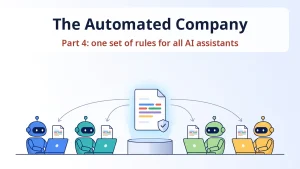
The Automated Company, part 4: one set of rules for all AI assistants
This is the fourth part of “The Automated Company” series. In part one I wrote about why at Element we hand routine work to automations. In part two I showed the company map, and in part three the division of work between the supervisor, the executor and the critic. Today I explain how all these agents know how we work at Element. If you read Polish, there is also a Polish version of this article.
We use four AI tools: Claude, Grok, Codex and Gemini. Each of them reads a file with instructions when it starts work, but by default they do not all look for it in the same place or under the same name. If each had its own rules file, the rules would quickly drift apart and one tool would work by different rules than another. Efficient work would very quickly turn into unproductive chaos that wastes resources.
What this set of rules is
It is an ordinary text file that describes how our company works: what agents may do, what they must not do, how we write to clients, and when they should stop and ask me for a decision. An AI agent reads it every time it starts work, so I do not have to repeat these rules in every conversation.
A few prohibitions from our file:
- I do not send an email when Maciej asks for a draft. A draft means a draft.
- I do not say the tests pass until I have run them in this environment and seen the result.
- I do not promise a date unless I set, at the same moment, a reminder that will “wake” me (the agent) up.
- Every text prepared for Maciej has to be checked with the “Humanizer” skill.
Most prohibitions have a story behind them. We usually added them after an agent did something we did not want. I write “we” because I mean myself and the agents I work with.
How four tools read one file
Claude Code reads the CLAUDE.md file, and Grok loads the same file on its own. Codex looks for an AGENTS.md file, and Gemini has yet another setting. Instead of maintaining several versions, we keep one file, and in the places where Codex and Gemini look for it, we set a pointer to that same file. A change to the rules made in one place therefore reaches all of them at once.
If we kept copies, for example two files with the same rules, sooner or later they would start to differ. When I correct one, the other stays old until an automation updates it, and an agent that reads it works by the old rules. With one file, the only question left is whether each tool actually sees it. The two examples below show that this is not obvious at all.
Example 1: Codex did not see the rules
Until 3 September, Codex did not see a single one of our shared rules. It looked for instructions in the AGENTS.md file, and that file only told it where the company memory is kept. So Codex worked without our prohibitions. It could, for example, have changed files in the running system instead of in a separate copy, which is exactly what one of our rules protects against.
In my opinion, this is the hardest kind of error, because an agent without rules does not report that something is missing. It does whatever it considers reasonable.
The solution had two parts. The first is the one file itself: since 3 September, the AGENTS.md file that Codex reads points to our shared rules file. At the same time, we set up Codex to also read the rules of individual projects and not to cut them off without warning, which it used to do with files longer than 32 KB. The second part is a check, because one file is not enough if we do not know whether a tool actually reads it. So every session checks at the start whether all four tools point to the shared file, and reports anything that is missing.
Example 2: 23 lines instead of 261
We work on several servers. I usually change the rules on whichever one I happen to be working on, and the others pull them from a shared place. On 3 August, on one of the servers, the rules file stopped pointing to the shared file and became an ordinary, outdated copy. For three days, the agents on that server worked with 23 lines of rules instead of 261. It came to light only on 6 August, by chance.
Since then, once a day, at the first session on each server, an automation checks whether the rules file is the shared one and whether it is up to date. It speaks up only when something has drifted. Since mid-August, every session also checks at the start whether it sees the complete set of rules. Without the complete set, it does not start work.
Our measurement: prohibitions work better than commands
At the end of August, we checked how the way a rule is written affects an agent’s work. Rules written as prohibitions, along the lines of “do not do X”, raised the quality of its work. Rules written as commands, along the lines of “do Y”, lowered it. Adding the reason a rule exists also helped: agents stuck to it more often.
Given this result, our file has a short list of prohibitions, followed by longer sections with the reasoning and history of each rule, meaning what went wrong before we added it.
Example 3: a rule the agent has not loaded does not exist
In the same measurement, we checked whether agents open rule files on their own when nobody hands the files to them. They did so in 3.5 percent of runs. A rule written in a separate document that the agent has to look up on its own therefore does not work in practice.
That is why we moved everything an agent must follow into the one file that every tool loads by itself at the start of work. For example, the company map I wrote about in part two used to sit in a separate document. Today an automation pastes its current version straight into the rules file. Grok once had its own additional file with guidance, and today it has none apart from the shared one. The agent no longer has to look for anything, because it gets everything at the start.
For the riskiest actions, such as an email to a client or deleting data, even that is not enough. In the same measurement, the rule about running an independent critic before such actions had zero compliance, even though the agents had it in their file. That is why we also have technical blocks there, which I mentioned in part three and will describe separately.
How to start at your company
- Write your company’s working rules in one file and set up all your AI tools to read exactly that file.
- Write the rules as prohibitions and add one sentence to each explaining why it exists.
- Check regularly that each tool really sees the whole file, and not an old or truncated version of it.
- When an agent does something you did not want, add a rule together with a description of what happened.
In the next part of the series, I will describe the company memory, meaning how AI knows what we agreed on in yesterday’s conversation.
Read more about what an ATS is and how Element works.
Read more about ATS here.
DISCOVER ELEMENT!
Maciej Michalewski
CEO @ Element. Recruitment Automation Software
Recent posts:

The Automated Company, part 4: one set of rules for all AI assistants
Part 4 of The Automated Company series: how one rules file serves four AI tools, and what our measurement showed: prohibitions work better than commands.
Job offers in Poland, October 2026: more postings, not more jobs
Poland posted 266,122 job ads in October 2026, 5% more than a year earlier. Postings rose in all ten cities, but employment in companies is still falling.
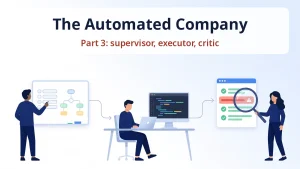
The Automated Company, part 3: supervisor, executor, critic
Part 3 of The Automated Company series: how we divide work between AI models, and five real cases where one AI agent caught another agent’s mistake.
Free job posting sites in Poland: we have updated the biggest list of candidate sources
A major update of the biggest list of free job posting sites in Poland: terms checked for October 2026, new IT prices, 39 career offices and about 289 Facebook groups.
The Automated Company, part 2: the company map, or where to start with automation
Part 2 of The Automated Company series: before you automate anything, write down what your company is made of. I show 13 cards from our company map.
Anthropic believes it is creating a higher being. The dispute over Claude’s constitution
Anthropic teaches Claude that it may refuse even its own maker. I go through the All-In Podcast debate and the warning from Mustafa Suleyman of Microsoft AI.