

Element races ahead: Slack, default filters and global template updates

2026-09-23

Just as I keep setting better lap times in my beloved iRacing, Element keeps getting faster too. We had barely refreshed the look of the system when, on September 22, a Slack integration went live, together with two important QoL improvements (quality of life, meaning changes that simply make daily work easier) and the ability to add candidates straight from a CV. A few words about these changes. If you read Polish, there is also a Polish version of this article.

A system built from blocks

Element can be adapted to an organization’s requirements in almost unlimited ways. You can have as many recruitment stages as you like, and you can change their order and names or delete stages even in the middle of a process. You get as many fields to describe projects and candidates as you need, and the same goes for columns on the project and candidate lists. There is also no limit on tags, which you attach to projects, to candidates and even to users, and that gives an organization interesting ways to manage who sees what in the system.

That many options could be a headache, but they are designed so that a freelancer never has to bother with them at all. At the same time, a global corporation can set the system up to fit its needs as closely as if it were building it from blocks. Both new QoL improvements come straight out of that flexibility.

Filters that set themselves

Take filtering projects and candidates. Since you can add any fields and tags to them, it follows that you can build any filters too. Building filters in Element has no limit either: in one filter you can combine any number of fields, tags, application questions and phrases that the system uses to search for projects and candidates.

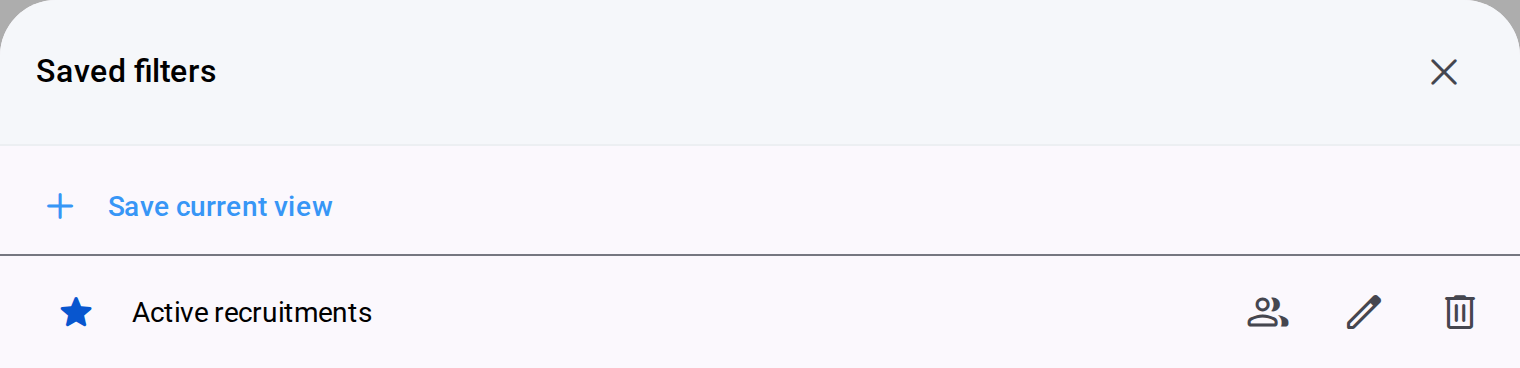
You can of course save finished filters to your favorites list, and for a while now you have also been able to share them with other users. Now comes something many of you have been waiting for: you mark a chosen filter with a star as your default, and the list opens already narrowed down. On the dashboard, next to the project and candidate cards, there is a default filter switch, separate for each list. So every user sees the projects and candidates they want to see right away and never has to open the filters at all. Element did not offer this kind of personalization before, and it makes working in the system even faster. Speed of work has always set Element apart, and I think this change widens that lead.

Change a template once, update every project

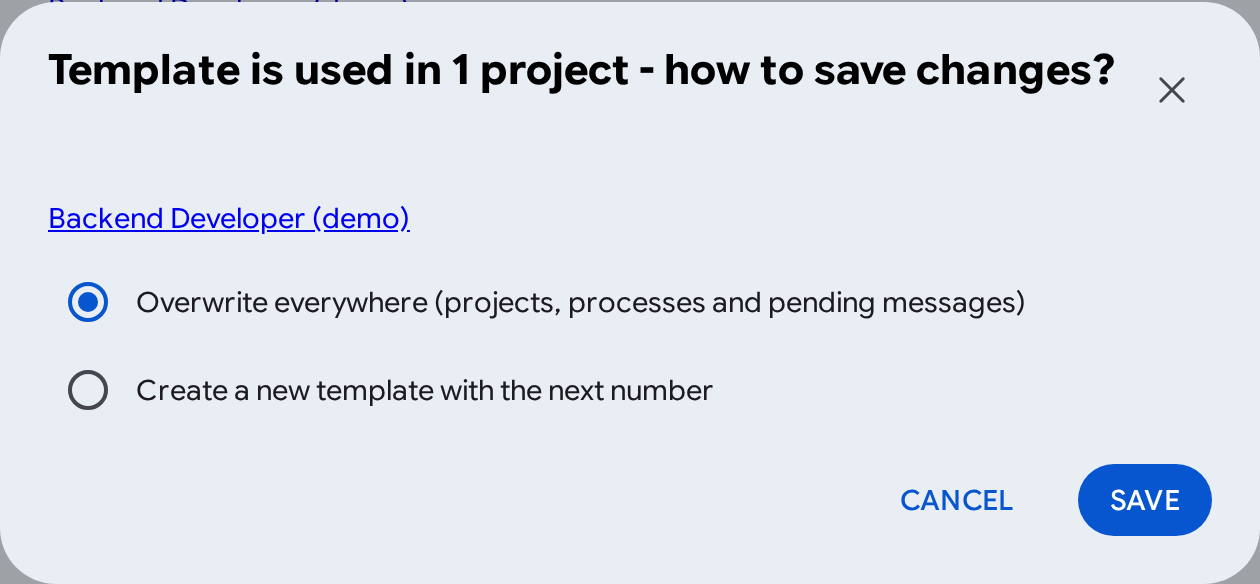
The second improvement is about message templates. Imagine you have 100 or 1,000 projects in the system, and each one has automatic messages at different stages, for example a meeting invitation attached to the “Meeting” stage. Then it turns out the template has to change because the company’s address has changed. Until now, you had to replace the template by hand in every project. Now, when you save, you choose whether the change should go everywhere the template is used, meaning projects, process templates and scheduled messages that have not been sent yet, or whether a new template with the next number is created and the existing uses stay as they are.

Before you replace anything, a strip at the top of the dialog shows “Projects: N · Pending messages: M”, and See details shows exactly which projects use the template and how many messages with it are waiting to be sent. So nobody will change the text in a hundred projects by accident 🙂

Slack: the hiring manager knows before they ask

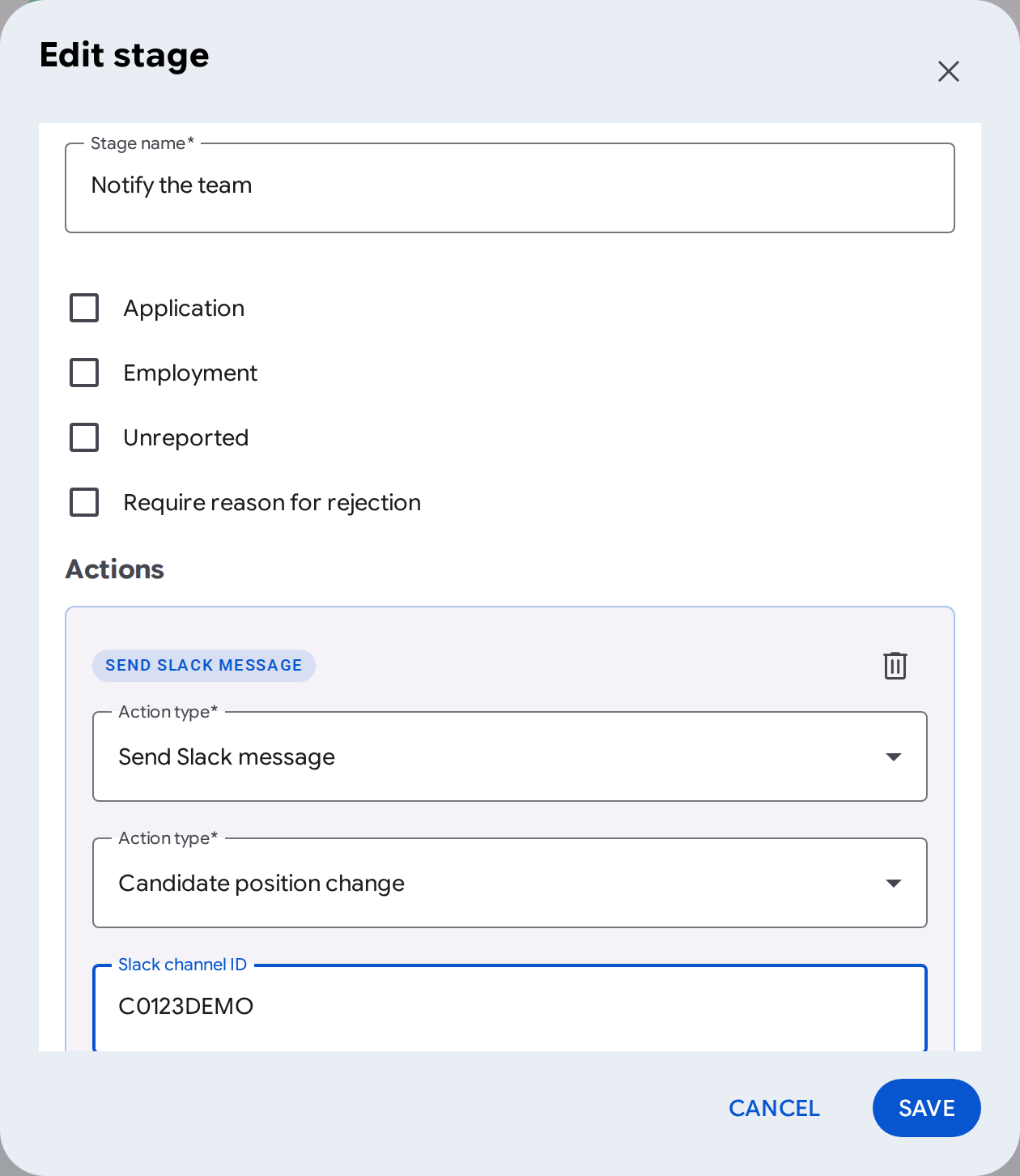
There is a new stage action, Send Slack message. It works like an e-mail sent from a stage: you set whether it fires when a candidate’s position changes or after a rejection, you pick a channel or specific people, and you add a delay if you need one. The message includes the candidate with a link to their profile and the stage with a link to the recruitment board, and for a rejection also the reason.

In my view the hiring manager gains the most here, because they no longer have to log in to the system to know that someone is waiting for their decision. The information comes to the place where they already work. An administrator sets up the connection in Settings → Slack integration, and the page walks them through it step by step. The details are in the article Slack integration: candidate notifications.

Candidates straight from a CV

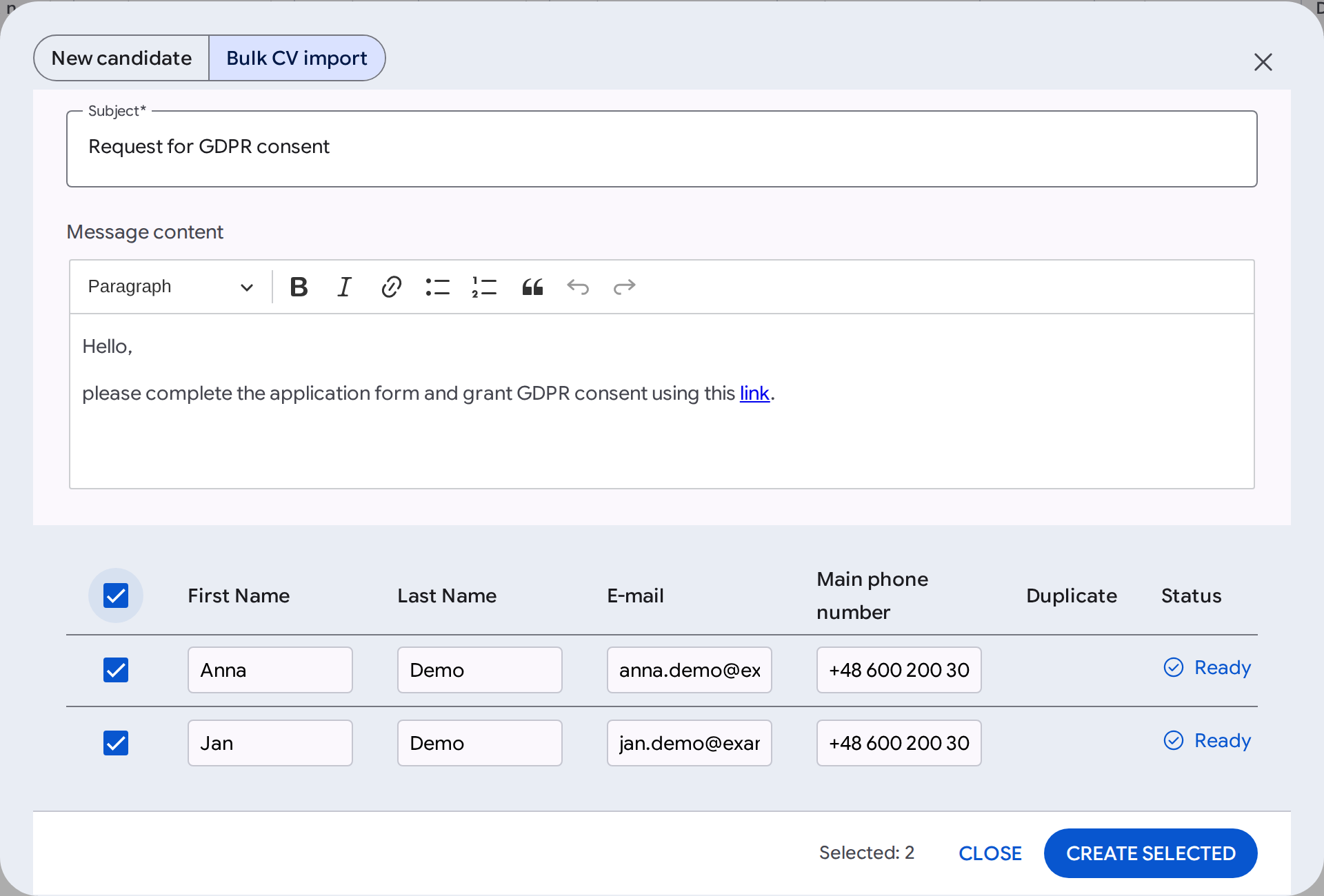
While we were at it, we put an end to retyping CV data into a form. In the New candidate dialog you drop a file, and the system reads the first name, last name, e-mail and phone on its own and attaches the CV right away. Next to it is the Bulk CV import tab, which takes up to 25 files at once: each file becomes a table row with the status Ready, Fill in the data or Error. Duplicates are marked and deselected by default, you can assign candidates to a project straight away, and the Send a GDPR consent request switch sends each of them a request for consent. The import accepts PDF, DOC, DOCX, ODT, RTF, TXT, JPEG and PNG files of up to 5 MB.

And a few more things that come in handy

  • Project list. Archiving can be undone with the Restore button. With several projects selected, the plus menu lets you change their status, archive them, add tags or delete a project (administrators only, and the candidates stay in the database).
  • Users. When deleting a manager’s account, the administrator decides whether their direct reports get a new manager or are left without one.
  • GDPR. Below the “Anonymization deadline from the newest application” field there are examples of when this deadline matters, and a candidate’s renewed consent clears the old expiry date.
  • Element on your phone. The project search covers the whole database, and the list loads more projects with the Load more button.

Anyone who works a lot in recruitment systems can guess how useful these improvements are, and I am as excited as a kid that we can keep adding them at this pace. All the changes described here have updated articles in the help center.

We are driving our race car flat out and staying on the track. I am behind the wheel, and anyone who wants is welcome to come along for a ride 🏎️

Read more about what an ATS is and how Element works here.

DISCOVER ELEMENT!

Fast, agile and user-friendly ATS created by recruiters for recruiters
Picture of Maciej Michalewski

Maciej Michalewski

CEO @ Element. Recruitment Automation Software

Facebook
Twitter
LinkedIn

Recent posts: